Why Zoom Recordings Disappear
Here are the most common culprits:
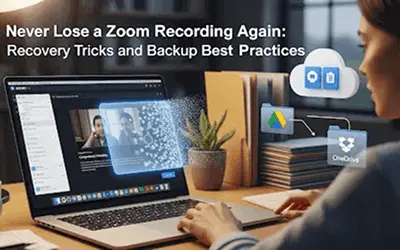
You finish an important client call, hit “End Meeting,” and breathe a sigh of relief knowing you hit record. But when you log back into Zoom later, your recording has vanished. Panic sets in. Did Zoom delete it? Is it gone forever?
If this sounds familiar, you’re not alone. Thousands of users each month search “Zoom recording disappeared” or “how to recover Zoom recording”. The good news? These recordings rarely vanish for good. The bad news? They often slip away due to hidden policies and limits most people don’t know about.
Here are the most common culprits:
Losing a recording isn’t just annoying, it can have real consequences:
Downtime and rework can cost businesses more than they realize.
If your Zoom recording disappeared, here’s what to do:
Instead of relying on chance, build a Zoom backup solution:
Pro tip: Keep both a local and cloud copy of mission-critical sessions.
The smartest teams treat recording backups as part of business continuity. Some are even adopting AI-driven storage monitoring that predicts when limits will be reached and creates automated failover copies. The message is clear: don’t wait until a disaster happens prepare in advance.
Zoom recordings don’t have to disappear like ghosts. Once you understand how auto-deletion, storage limits, and user settings work, you can take control with smarter backup workflows.
The future of Zoom recording management isn’t just about hitting “Record.” It’s about ensuring that every important conversation is safely stored, easy to recover, and available when you need it most.
So, the next time someone says, “My Zoom recording disappeared!” you’ll not only know how to recover it and you’ll have the systems in place to make sure it never happens again.
Have you ever lost a Zoom recording? Share your story in the comments, I’ll be curating the best tips and recovery hacks for a follow-up post.
With AI copilots like GitHub Copilot, Replit, and Gemini now writing up to 30% of developer code, enterprises are seeing internal risks & AI scripts deployed directly into production, sometimes overwriting or corrupting critical data.
Traditionally, we focused on external threats (ransomware, breaches), but now the danger is coming from inside, through trusted AI-generated code.
Do you see AI copilots as a bigger cloud risk than hackers in 2025? How are you mitigating this internally (e.g., stricter IAM, independent backups, or sandbox testing)?